relipa

Project Description:

The client needed a modern accounting tool that could automate one of the most time-consuming and error-prone tasks in finance operations: processing invoices. Traditionally, accountants spend hours manually entering data from paper receipts, bills, and handwritten invoices into spreadsheets. This manual workflow leads to high labor costs, frequent mistakes, and delays in financial reporting.  

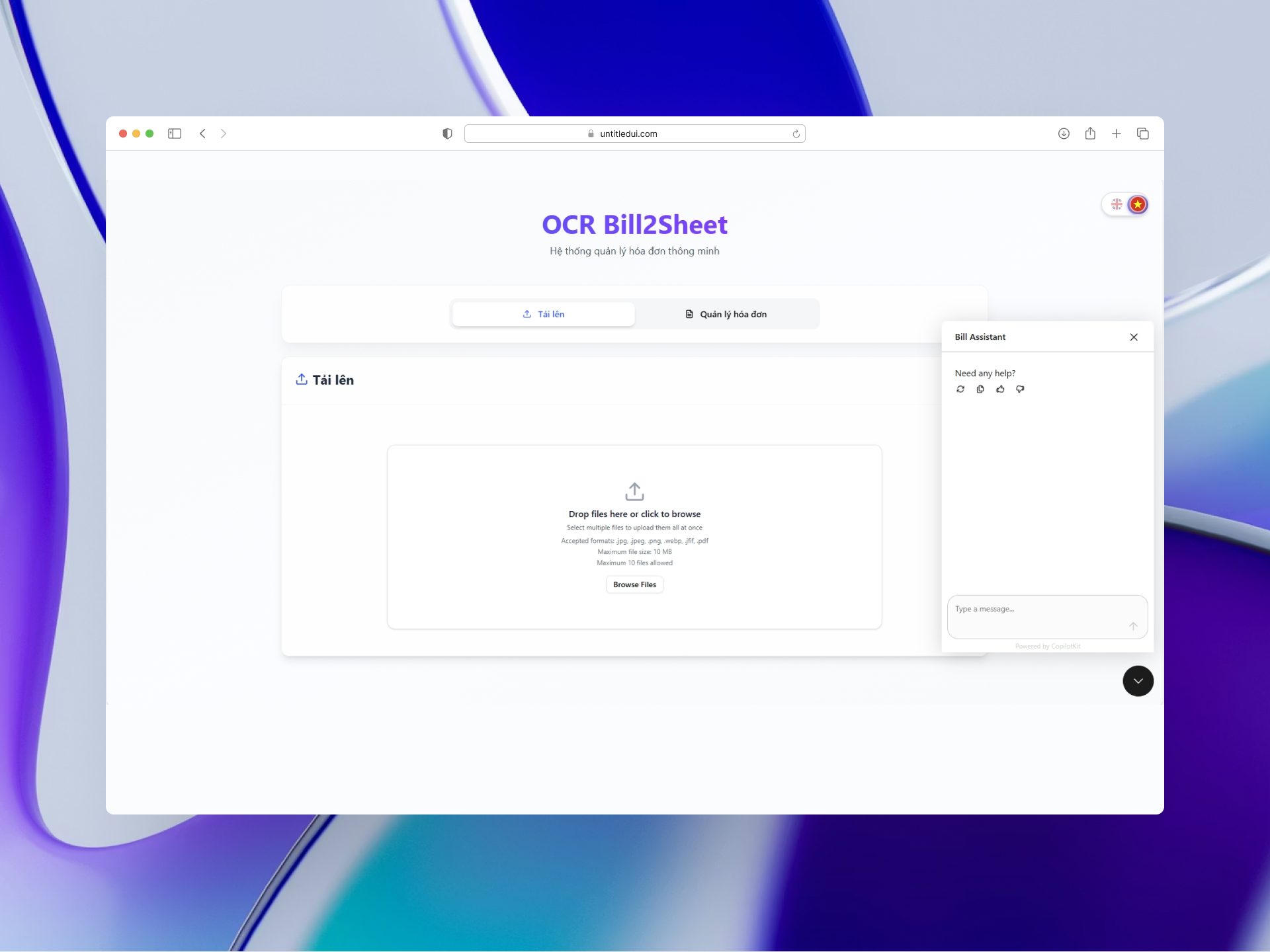
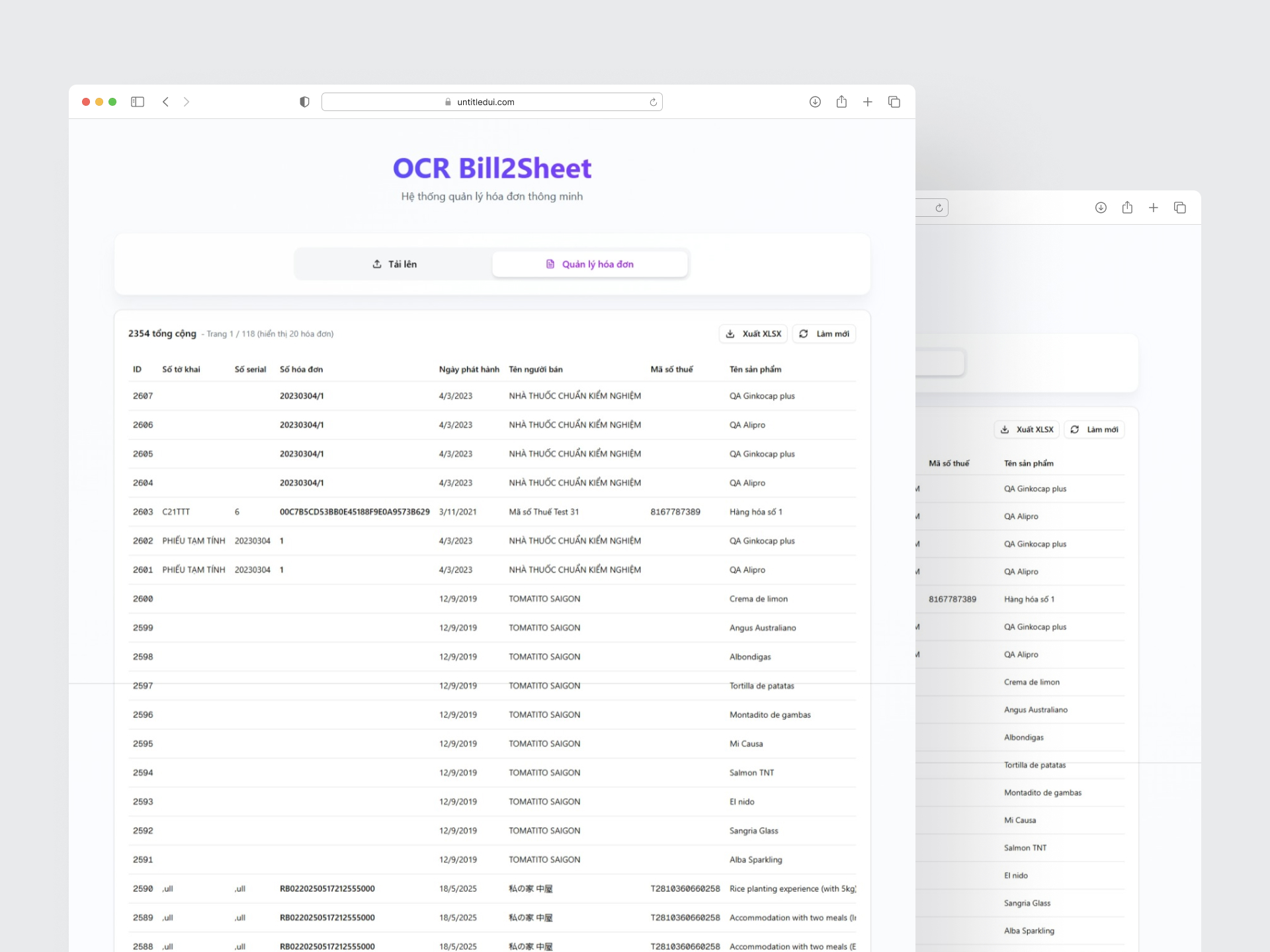
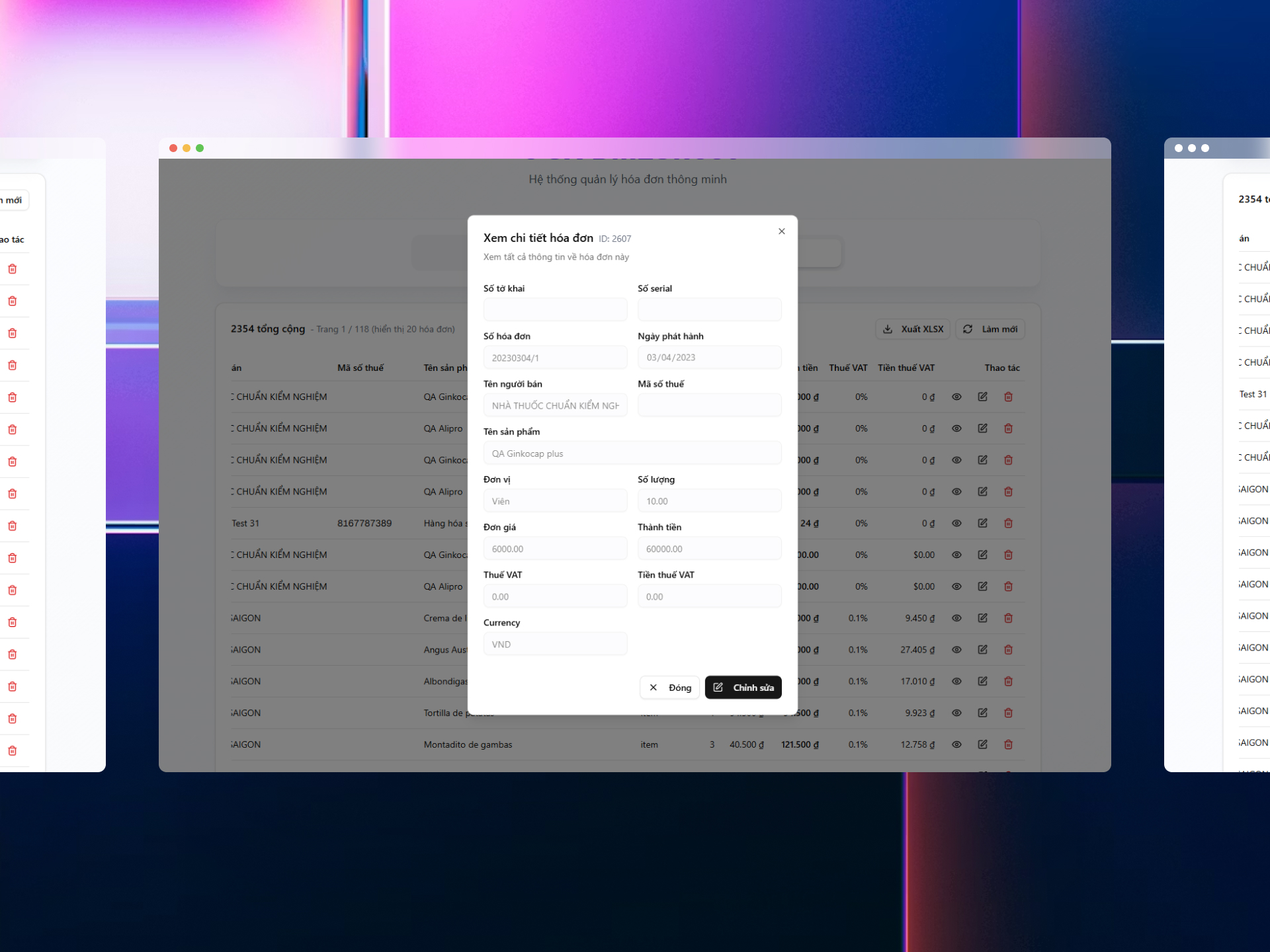
To address these challenges, we developed a web-based AI platform that transforms raw invoice images into structured financial data. Users can upload hundreds of photos at once, and the system automatically extracts key invoice details, dates, totals, supplier names, and tax codes, and fills them into a predefined table format. Data can be exported to Excel instantly for further processing or integration with external accounting software.  

Project Summary

  • Client Name: Relipa
  • Service: AI
  • Platform: Multi Platform
  • Year: 2023

Results and Benefits

This project demonstrates what happens when accounting meets next-generation AI: manual workflows disappear, data becomes instantly accessible, and insights move at the speed of thought. By combining GenAI’s deep document understanding with AI Agents capable of reasoning over financial records, the platform transforms scattered invoice images into a structured, intelligent, and fully interactive source of truth. Businesses no longer need to rely on slow processes, error-prone inputs, or rigid reporting tools, financial clarity is now achievable through a simple conversation.  

1. Client Request

Beyond data extraction, the platform includes an AI query engine that allows users to “chat” with their financial data. Instead of navigating complex filters or spreadsheets, they can ask natural language questions, for example:  

  • “How much did we spend in July?” 
  • “Which category had the highest expenses?” 
  • “What percentage of our total budget was transportation?” 

The system analyzes all uploaded invoices and responds with precise answers, summaries, and optional visualized reports. This allows accounting teams to move from manual data entry to real-time financial insight.

2. Development Process

Step 1 Understand Accounting Pain Points
We conducted interviews with accountants, auditors, and finance administrators to identify common bottlenecks, discovering that nearly all teams faced challenges with repetitive invoice entry, inconsistent invoice formats, and slow monthly reporting cycles. Many organizations process thousands of invoices each month, making automation not just helpful but essential. From these insights, we defined two key goals: first, to streamline invoice data entry using intelligent AI models that truly understand the content of invoices rather than just reading text, and second, to provide an intuitive analytics layer that enables users to interact with their financial data naturally and in real time.

Step 2 Designing an AI-Driven Extraction Pipeline
Traditional OCR tools often misread scanned bills, handwritten entries, or complex invoice layouts. To address this, we combined OCR with Gemini-based GenAI models, allowing the system to interpret invoice structures, identify meaningful fields, and normalize extracted data. Gemini goes beyond simple text recognition by inferring context: it can distinguish a “total amount” from a “unit price,” understand date formats even when partially smudged, and detect vendor names, tax details, and categories through contextual reasoning.

Step 3 Building an AI Agent for Data Querying
After invoices are digitized, they are stored in a structured format that the AI Agent can query. The AI Agent acts like a financial assistant that can reason, calculate, and summarize. It uses a tool-based system that allows it to access the invoice database, perform aggregations, compute percentages, and generate insights. Accounting teams no longer need to search manually or apply multiple filters. Instead, they simply chat with the system in plain English, and the AI Agent automatically finds and calculates the needed information.

Step 4 Emphasizing Speed, Reliability, and Scalability
The backend was built with Rust to ensure high performance and low latency, essential for bulk invoice processing. Meanwhile, the frontend uses Next.js with Shadcn UI to deliver a clean, modern, and responsive interface.

3. Tech Stacks we use


4. Solutions

[1] Intelligent Invoice Reading with GenAI

Unlike basic OCR tools, our solution uses GenAI (Gemini) to analyze invoice structure and context. It recognizes text, but also understands meaning: which value is a subtotal, which is a discount, which is tax, etc. This makes extraction far more accurate and stable, even with poorly scanned, handwritten, or complex invoices.  

[2] AI Agent for Data Lookup & Summaries

Once invoices are stored, users can query them conversationally. The AI Agent retrieves relevant invoices, performs calculations, summarizes the results, and presents them in natural language or structured tables, eliminating the need for manual filtering, pivot tables, or advanced Excel skills.

[3] Reduction of Human Errors

AI ensures consistency by avoiding common manual mistakes such as digit swaps, wrong category assignments, or missing decimal points.  

[4] Faster Processing & Lower Costs

With automation, teams can upload hundreds or thousands of invoice and receive structured data in minutes.  

5. Gallery

6. Product Features

Bulk Invoice Upload & Automatic Extraction
Users can drag-and-drop hundreds of images at once, and the system extracts key fields, such as date, total, VAT, supplier, and category, into a clean, structured table.
Template-Based Structuring +
AI Chat For Financial Insights +
Export to Excel +
Optional Reporting Module +

relipa

A Partner Invested in Your Long-Term Success

Contact to our experts